Yes, Make.com is free in two different ways, and knowing the difference saves you a month of frustration. There is a permanent free plan at $0 that never expires: 1,000 credits a month, 2 active scenarios, a 15 minute minimum interval and access to all 3,000+ apps. Separately there is a 1 month free trial of the full paid platform, which through my partner link comes with 10,000 credits, priority execution, custom variables and all the AI tools, with no credit card needed to start.
The free plan is the right home for a small automation you want running forever. The free month is the right way to evaluate whether Make can run your business, because most real builds hit the 2 scenario limit on day one.
I am Prem Patel, founder of Nex Automations, a Make.com Silver Solution Partner and Make Level 5 Expert. This guide is the honest version: what each free option actually covers, what 1,000 credits gets you in practice, how to claim the free month, and when free genuinely stops being enough.
Free plan vs free month, side by side
| Free plan | 1 month free trial | |
|---|---|---|
| Price | $0, forever | $0 for 30 days |
| Credits | 1,000 per month | 10,000 for the month |
| Active scenarios | 2 | Unlimited |
| Minimum interval | 15 minutes | 1 minute |
| Apps | All 3,000+ | All 3,000+ |
| Priority execution | No | Yes |
| Custom variables | No | Yes |
| AI tools | Limited | All included |
| Card required | No | No |
| Best for | One small automation running forever | Deciding whether Make runs your business |
Both are genuinely free. Neither is a crippled demo: the free plan connects to every app the paid plans do, which is unusual and it is one of the real reasons Make is worth learning.
What 1,000 credits actually gets you
Since August 2025 Make bills in credits instead of operations. For standard automations the maths is simple: one module action equals one credit. AI modules are the exception, they consume credits based on token usage, so an AI step costs meaningfully more than a spreadsheet step.
That makes the free plan easy to budget. A 5 module scenario burns 5 credits per run:
- 200 runs a month at 5 modules each. That is a form submission handler firing about 6 times a day, comfortably inside the free plan.
- A daily report at 20 modules a run costs 600 credits a month. Fits, with room left over.
- A polling scenario every 15 minutes, the fastest the free plan allows, is roughly 2,880 runs a month. Even at 1 module per run that is triple the free allowance. Polling on a tight schedule is what quietly kills free accounts.
The lesson worth internalising early: credit cost is driven by how often a scenario runs far more than by how clever it is. Use webhooks instead of polling wherever the app supports them and your credit bill drops by an order of magnitude. I explain the difference in the trigger types section of the learning path.
How to get the free month with 10,000 credits
- Open make.com/en/register?pc=prime. This is my partner link, and it is what applies the free month to the account.
- Sign up with an email address. No card is required to start the trial.
- Pick the data centre region closest to you when asked. This is annoying to change later, so pause on that one screen.
- Build something small on day one. Not a plan, an actual working scenario, even a two module one.
The honest disclosure: that is an affiliate link. You get the free month, I get a small credit, and it costs you nothing extra. I recommend Make because I have built 1,200+ automations on it, not because of the referral.
The honest caveat: the free month currently lands on the older Pro plan structure, which is where the 10,000 credit figure comes from. Make is migrating everyone to the simplified single "Make Plan" pricing, so the trial you see may be the new structure instead. If that happens it is still a full month of the complete platform with no feature gating, which is the part that matters. I keep this article updated when the offer changes.
What to actually build in the free month
A free month spent reading documentation is a wasted month. The trial is only useful if you finish something, because the question you are answering is "can this run my business", and only a working scenario answers it.
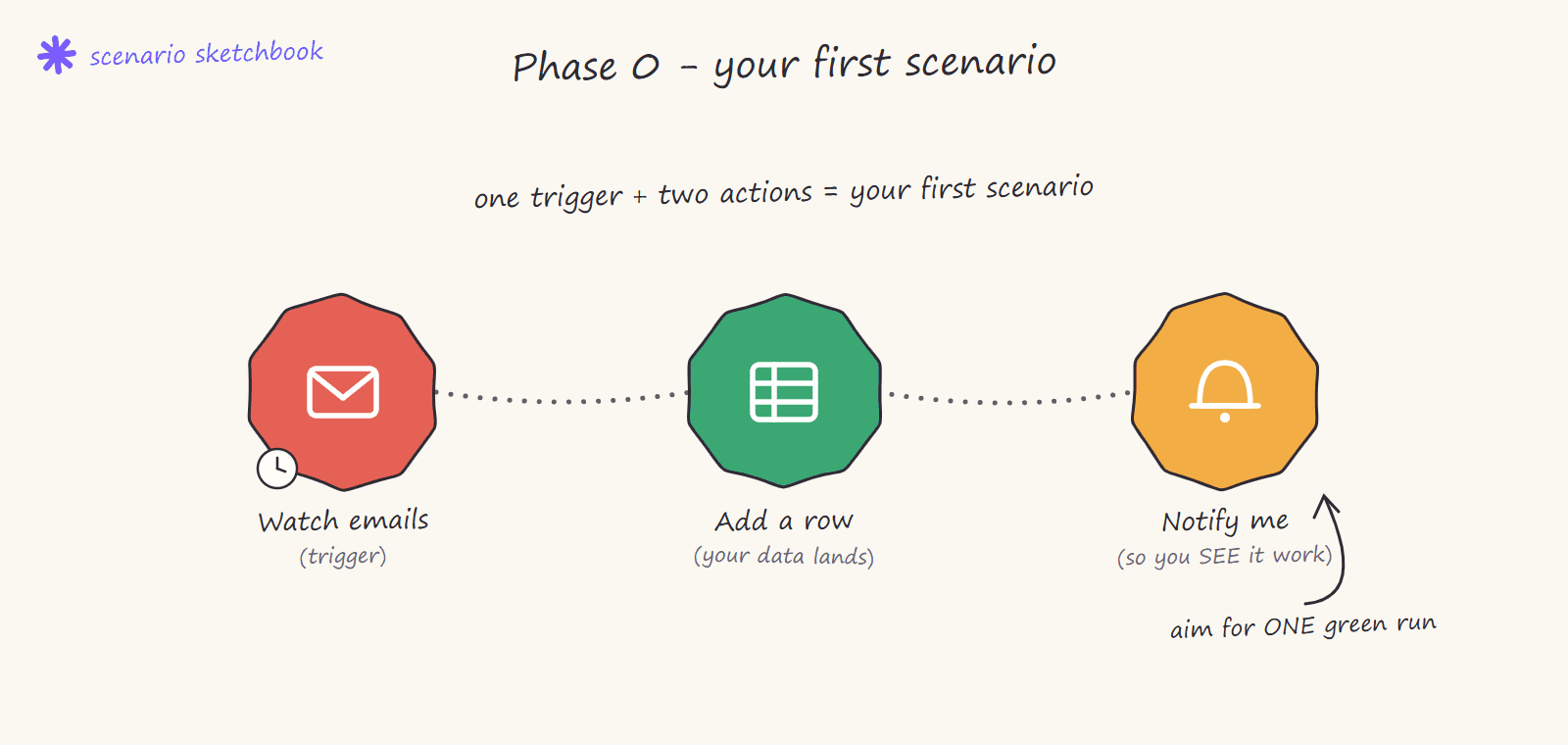
Build in this order:
- Day 1, one working scenario. A trigger, one action, one notification. Something that touches a system you actually use. The goal is proof it runs, not scope.
- Week 1, your most repetitive task. The thing someone on your team does more than five times a week by hand. Make it work for the normal case only.
- Week 2, the exceptions. Add the filter for the case that breaks it, and an error handler so a failure alerts you instead of silently stopping.
- Week 3, decide. By now you know your real credit consumption, which is the only number that tells you what Make costs you, and whether the platform fits how you work.
If you want the structured version of this, the Make.com learning path breaks the whole journey into six phases with a practice build for each, and every phase runs fine inside a trial account.
When free stops being enough
Free ends at a predictable point, and it is almost never about credits first:
- The 2 scenario limit. This is what people hit first, usually within a week. Two automations is one workflow and one experiment.
- The 15 minute floor. If your process needs to react in seconds, the free plan cannot do it. Webhook triggers still fire instantly on free, so this only bites polling scenarios.
- No custom variables and limited AI tools. Fine while learning, limiting the moment you build anything shared across scenarios.
- Credit ceiling. Real business volume passes 1,000 credits quickly once more than one scenario runs daily.
The paid step up is smaller than most people expect. The Make Plan starts around $9 a month for 5,000 credits with a slider up to 8M+, and unlike the Core, Pro and Teams plans that existing customers are still on, every feature is included at every price, you are only paying for volume. Unused credits roll over one month on paid plans, and annual billing saves roughly 15%. For a full breakdown of what a real build costs to run, see how much Make.com automation costs.
For comparison, Zapier charges around $20 a month for 750 tasks. That gap is the main reason most of the systems we build for clients run on Make. The full three-way comparison is in Zapier vs Make vs n8n.
Is the free plan enough to learn on?
Yes, completely. Every concept that matters, mapping, filters, routers, iterators, aggregators, error handling, works on the free plan. Make Academy is free too. The only thing free cannot teach you is what your own workload costs in credits, which is exactly what the trial month is for.
If you would rather not learn it at all and simply have the system built, that is what we do: https://nex-automations.com/contact.
FAQ
Is Make.com free forever?
Yes. The free plan is $0 with no expiry: 1,000 credits a month, 2 active scenarios, a 15 minute minimum interval and access to all 3,000+ apps. It is a permanent plan, not a trial that lapses.
How do I get 10,000 free credits on Make.com?
Sign up through a partner link such as make.com/en/register?pc=prime, which applies a 1 month free trial of the full paid platform including 10,000 credits, priority execution, custom variables and all AI tools. No credit card is required to start.
Does Make.com need a credit card for the free trial?
No. You can start both the free plan and the free trial month with just an email address. A card is only needed if you choose to continue on a paid plan afterwards.
What happens when the free trial ends?
Your account drops to the free plan. Scenarios beyond the 2 allowed are deactivated rather than deleted, so nothing you built is lost. Reactivate them by upgrading whenever you are ready.
How many credits does a scenario use?
For standard automations, one module action equals one credit, so a 5 module scenario costs 5 credits per run. AI modules bill by token usage and cost more. Run frequency, not complexity, is what drives your bill.
Is the free plan enough for a small business?
For one simple automation, yes. For a business running several processes it is not, because of the 2 scenario limit rather than the credits. Most businesses land on the entry paid plan at around $9 a month.
Start on the free plan (no card): make.com
Get the free month with 10,000 credits: make.com/en/register?pc=prime
Want it built instead of learned: book a free consult or send the fit-check