To automate invoice and contract generation with Make.com, you connect a trigger (a paid order, a signed proposal, a new CRM deal) to a document template, fill the template with the right data, generate a branded PDF, then deliver and log it automatically. The whole cycle, which takes a person 15 to 40 minutes per document by hand, runs in seconds with zero transcription errors. The build quality shows in the details: correct figures every time, consistent branding and a logged copy of exactly what was sent.
I am Prem Patel, founder of Nex Automations, an AI systems studio. I hold the Make Level 5 Expert certification and we are a listed Make Partner. Automated invoicing and contract generation is one of the most common requests we get, because it is pure repetitive work that businesses do dozens of times a week and almost always still do by hand.
This guide covers how the generation workflow works, the template approach, where AI helps and where it should not and the checks that keep generated documents correct.
Why automate invoice and contract generation
Generating documents by hand is slow, repetitive and quietly error-prone. Someone opens last month's invoice, changes the client name, the amount, the date, the line items, exports a PDF, attaches it to an email and sends it. Multiply that by every invoice and contract a business sends and it is hours every week. Worse, every manual edit is a chance to leave an old client's name in, get a figure wrong or forget a clause.
Automated generation removes both problems at once. The data that should be on the document already exists in a form, an order or a CRM. The automation assembles it into the right template, every time, with no transcription step where errors creep in. Clients also get documents faster, which makes the business look more professional and speeds up payment.
How invoice and contract generation works in Make.com
The generation workflow runs in the opposite direction to extraction. Instead of reading a document to get data, it takes data you already have and produces a document.
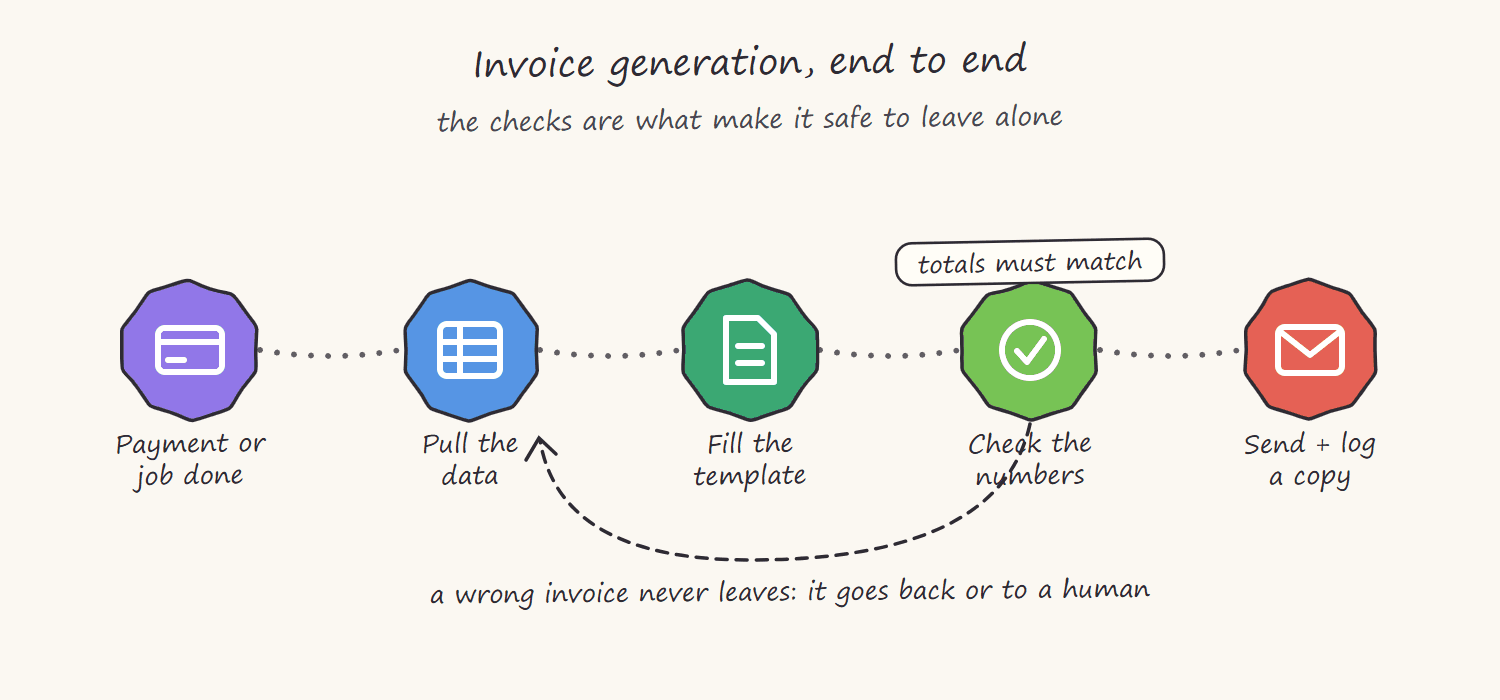
1. The trigger. The event that means a document is due. A Razorpay or Stripe payment received triggers an invoice. A proposal marked accepted triggers a contract. A new deal in the CRM, a form submission, a row marked ready. The trigger carries or points to the data the document needs.
2. Gather and shape the data. Make collects the fields the document requires: client details, amounts, dates, line items, terms. It may pull these from several places, the payment record for the amount, the CRM for the client address, a product table for line item descriptions and shape them into the structure the template expects.
3. Fill the template. A pre-built template (in Google Docs, a PDF generation tool or a document service) has placeholders for each field. Make maps the data into the placeholders. This is where the document takes shape: the right client, the right figures, the right terms, with consistent branding baked into the template itself.
4. Generate the PDF. The filled template is converted to a finished PDF, the format clients expect for invoices and contracts.
5. Deliver and log. The PDF is emailed to the client, sent on WhatsApp or stored in Drive and attached to the CRM record. Critically, a copy and a record of what was sent is logged, so there is always proof of exactly which document the client received.
The template approach: the foundation of reliable generation
Reliable document generation lives or dies on the template. A good template has the branding, layout, fixed text and legal language built in and unchanging, with clearly defined placeholders only where data varies. This separation is what makes the output consistent: the parts that should never change are locked into the template, and only the data fields are filled by the automation.
For invoices this means the logo, layout, payment terms and footer are fixed, while client name, line items, amounts and dates are placeholders. For contracts it means the clauses and legal structure are fixed, while party names, dates, scope and figures are placeholders.
Getting the template right is most of the work in a generation build. Once the template is solid, the automation around it is straightforward and the output is correct every time.
The smallest version worth building
You do not need the full system to stop writing invoices by hand. The starter build is three connections: a payment in Stripe fills a Google Docs template, the totals are checked, and Gmail sends the PDF to the customer.
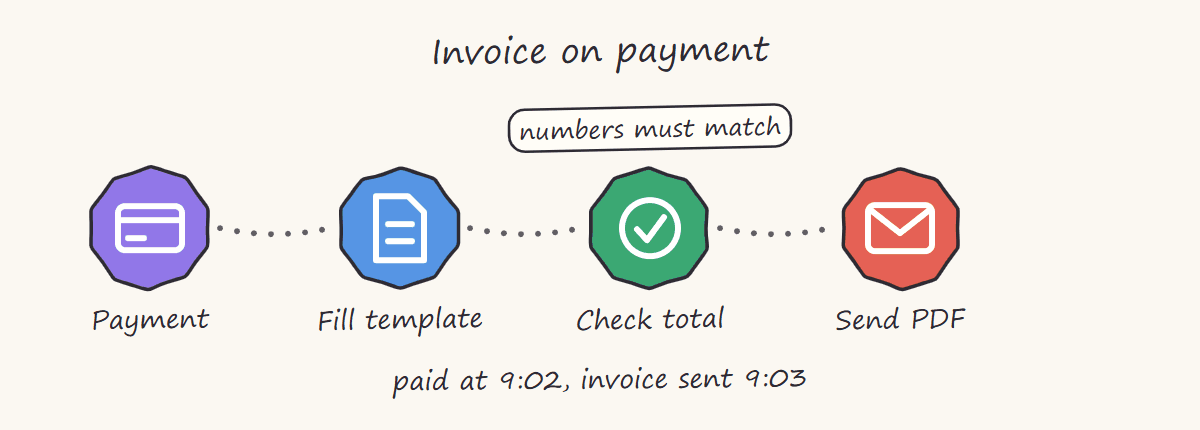
That is roughly six hours of work, and it already removes the entire manual cycle for standard orders. The checks in the next sections are what you add afterwards, one at a time, as the exceptions show up.
Where AI helps with generation, and where it should not
AI has a place in document generation, but a narrower one than in extraction. Used well, it can draft variable prose: a tailored scope-of-work paragraph for a contract, a personalised note on an invoice, a summary section in a report. It writes the parts that genuinely vary in language, not just in data.
Where AI should not be used is the fixed, factual or legal content. The figures on an invoice must come from the actual payment data, never from an AI. The clauses in a contract must come from approved legal templates, never generated fresh, because an AI-written clause is a liability. The rule is simple: AI can draft the flexible prose, but the numbers and the legal language come from real data and approved templates. Mixing those up is how AI introduces risk into a document that needs to be exact.
The checks that keep generated documents correct
Generation has its own failure points, and a serious build guards against them:
- Verify the data is complete before generating. If a required field is missing, the workflow should stop and flag it, not generate an invoice with a blank total.
- Confirm the PDF actually rendered. A generation step can fail or produce a malformed file. The workflow should confirm a valid PDF was produced before sending it.
- Check figures where it matters. For invoices, confirm line items sum to the total and the currency and tax are right before the document goes out.
- Always log what was sent. Store the generated document and a record of delivery. When a client queries an invoice, you can show exactly what they received.
- Handle the exception. The order with a refund, the contract with custom terms, the edge case. The workflow needs a defined path for these, not just the standard case.
How we build document generation at Nex Automations
When we build invoice or contract automation, we spend most of the effort on two things: getting the template exactly right, and building the checks that stop a wrong document going out. The generation itself is quick. The reliability comes from verifying the data is complete, confirming the PDF rendered, checking the figures and logging every document sent.
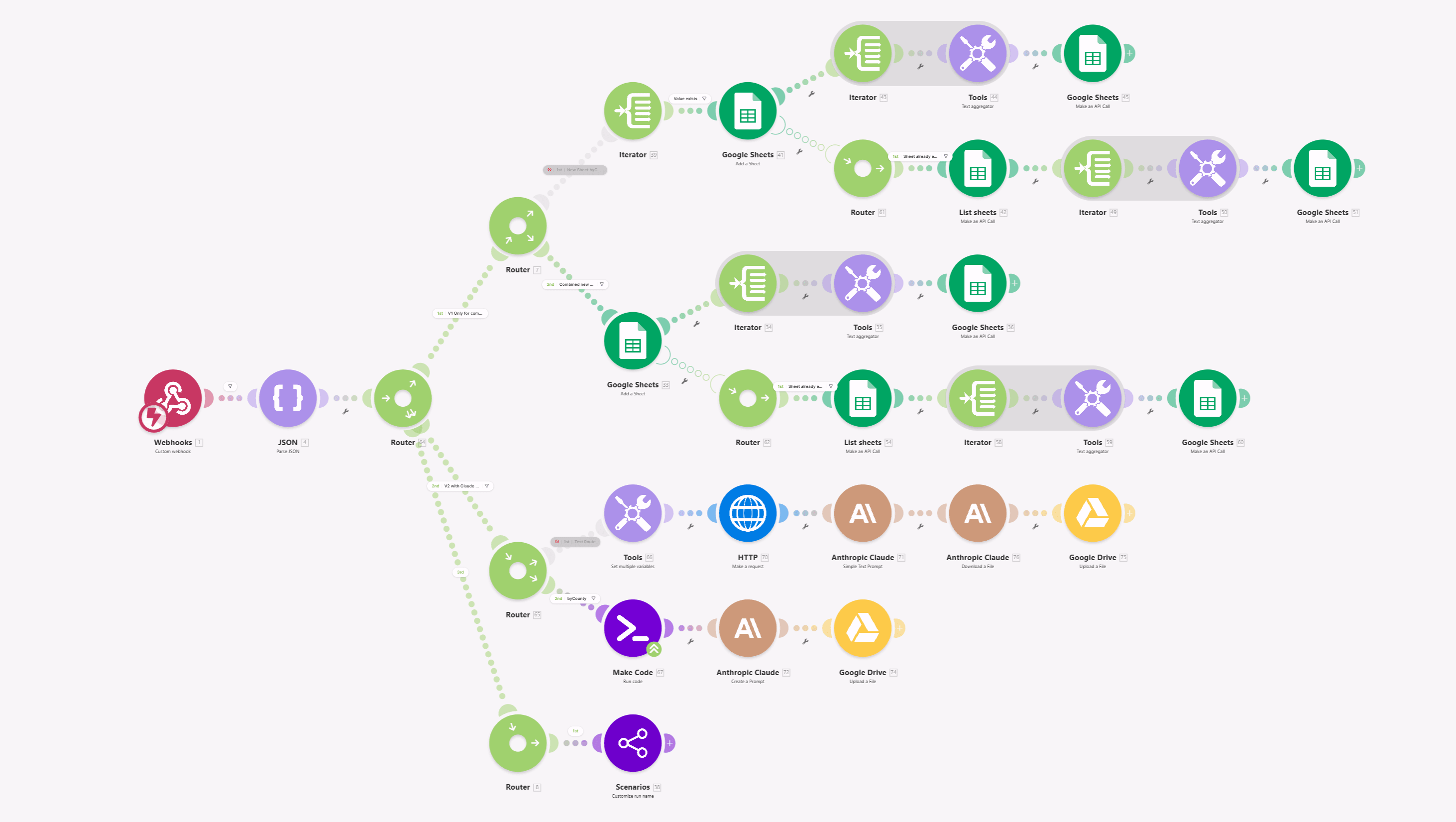
We keep AI in its proper lane, drafting variable prose where it helps, never touching the figures or legal language, and we document the whole system so the team can update templates and run it without us. The result is invoicing and contract generation a business can run on autopilot and trust.

If you want invoice or contract generation built properly, you can book a call and we will start with the document you send most often.
FAQ
Q: Can Make.com generate invoices automatically? A: Yes. Make can trigger on a payment or order, gather the client and amount data, fill an invoice template, generate a branded PDF and email or store it, all automatically. A well-built version also checks the figures and logs every invoice sent.
Q: Can Make.com create contracts automatically? A: Yes. Make can fill a contract template with party details, scope, dates and figures from a CRM or form, then generate a PDF for signature. The fixed legal clauses stay locked in the approved template while only the variable fields are filled, which keeps the contracts safe and consistent.
Q: Should AI write my contracts or invoices? A: AI can draft variable prose like a custom scope paragraph or a personalised note, but it should never generate the figures on an invoice or the legal clauses in a contract. Numbers come from real payment data and clauses come from approved templates. Using AI for those introduces risk into documents that must be exact.
Q: How much time does automated invoicing save? A: Manual invoice or contract creation typically takes 15 to 40 minutes each including data entry, formatting and sending. Automation reduces that to seconds and removes transcription errors. For a business sending dozens of documents a week, that is hours saved plus fewer mistakes.
Q: How do I make sure automated documents are always correct? A: Reliability comes from the build: a locked template for fixed content, validation that required data is present, a check that the PDF rendered, figure checks for invoices and a logged copy of every document sent. These guards are what make automated generation more reliable than manual work.
Related guides
- Automate Document and PDF Workflows with Make.com
- AI PDF Extraction with Make and Gemini
- How Much Does Make.com Automation Cost?
- Hire a Make.com Expert: Full Vetting Guide
Ready to automate your invoicing and contract workflow? Book a free consult: 30 minutes to scope the exact triggers, templates and delivery flow for your business. For a fixed-scope build, see the Fiverr's Choice Make.com automation gig. To try Make yourself, start with the free plan or take 1 month free with 10,000 credits.