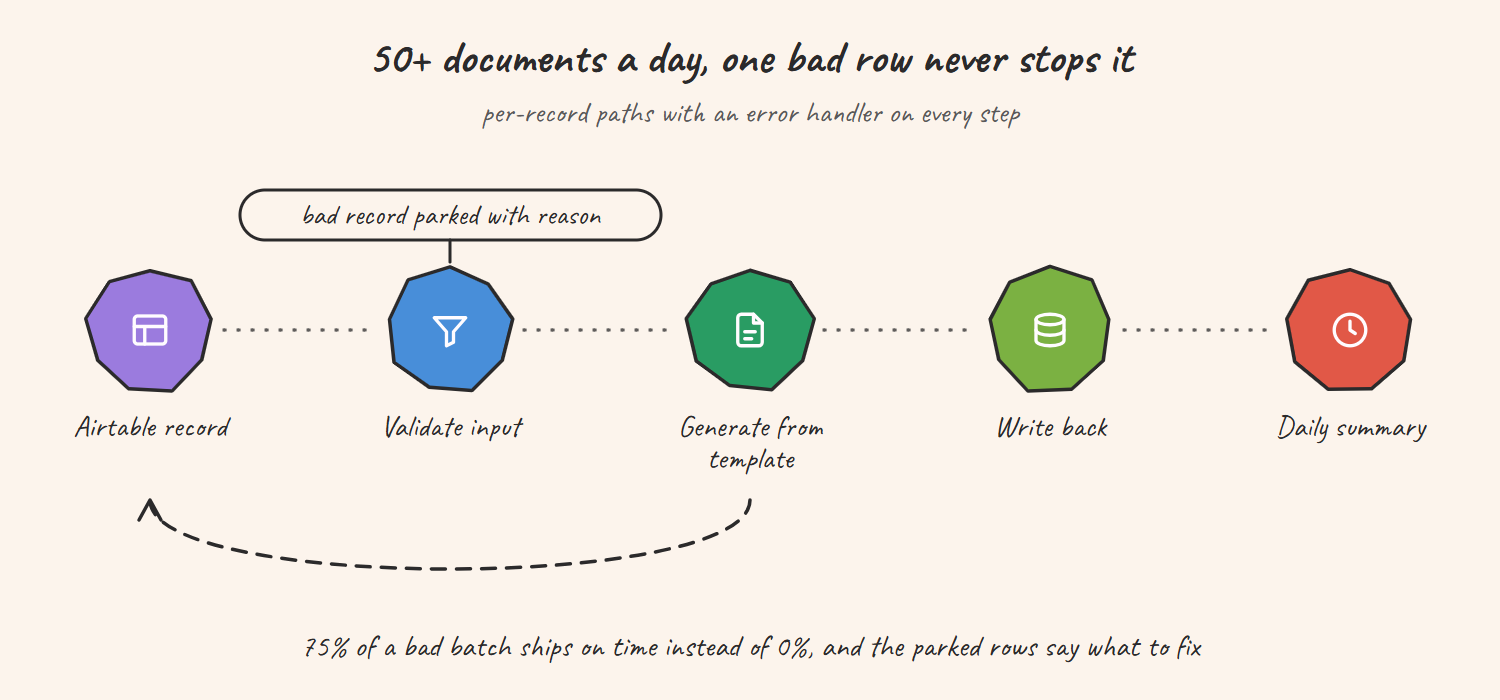
A US professional services firm generates 50+ documents a day from Airtable. One bad record used to stop the whole batch. Now each record runs on its own path, failures are parked with a reason, and 75% of a bad batch still ships on time instead of 0%. The client reports five or more hours a day back; that figure is client-reported.
Built by Prem Patel, Make Level 5 Expert and Zapier Certified Professional; Nex Automations is listed in both official partner directories. This is one of the 1,200+ systems we have shipped, and the clearest example of why per-record error handling is the difference between an automation and a system.
The situation
The firm generates more than 50 documents a day from payment data in Airtable. One malformed email address in the batch used to stop the whole run, and someone then spent hours finding the record and restarting. Every morning with bad data was a morning with no documents.
The 3 problems
- All-or-nothing batches. One record with a formatting problem meant no documents that day.
- No diagnosis. The failure said the batch stopped, not which record or why.
- Template coupling. Every document type ran through one path, so a slow template blocked a fast one.
What was built
Per-record processing in Make.com with an error handler on every step.
How it flows
- Each Airtable record is picked up individually rather than as a batch
- The input is validated before anything is generated
- The document is generated from the template for its type
- The finished document is written back to the record
- On failure, the record ID and the reason go to a review table and processing continues with the next record
- A daily summary lists what shipped and what is parked
Templates are separated by document type, so a slow template does not block a fast one. The review table is the operator's morning list: fix the field, re-run that record, done.
Tools used
- Make.com for per-record processing, error handlers and the daily summary
- Airtable as the record source, document store and review table
- Webhooks for the per-type generation paths
Results
| Measure | Value |
|---|---|
| Documents per day | 50+, unattended |
| Bad batch, before | 0% shipped |
| Bad batch, after | 75% ships on time, the rest parked with a reason |
| Operator time (client-reported) | 5+ hours a day back |
The client's words: "Identifying the issue and suggesting best use cases saves him 5+ hours a day."
Honest limits
- The hours-saved figure is the client's report, not a measured baseline.
- 75% is what ships when a batch contains bad data; a clean batch ships 100%. The number describes resilience, not throughput.
- Per-record processing costs more operations than one batch run. At this volume the difference is small; at ten times the volume we would batch the clean records and isolate only the suspects.
Related guides
- 10 Ways Make.com Scenarios Fail in Production
- Automate Document and PDF Workflows with Make
- Automated Invoice and Contract Processing with Make
FAQ
Q: How do you stop one bad record from breaking a whole automated batch? A: Process records individually with an error handler on each step, park failures with the reason, and let the rest continue. This build went from 0% to 75% of a bad batch shipping.
Q: Can Make.com generate documents from Airtable records? A: Yes, at volume. This pipeline produces 50+ documents a day from Airtable data with per-type templates and writes the result back to the record.
Q: What should an automation do when input data is malformed? A: Validate first, park the record with a readable reason, continue with the rest and report the parked list once a day. Silent failure and full-batch failure are the two outcomes to design against.
Q: How do you find out why an automated document did not generate? A: The review table stores the record ID and the failure reason at the step that failed, so the operator sees the field to fix instead of re-running the batch to reproduce the error.
Running a batch that breaks on one bad row?
We rebuild it so the good records ship and the bad ones tell you why.