Make.com AI Agents Explained: What They Are, When to Use Them and How to Build Your First One (2026)
Make wants you building AI agents, and autonomous agents complete under 2.5% of real-world tasks. Here is how to square that: what agents are, when they earn their place and how to build one properly.
Last verified: 12 June 2026 · Prem Patel, Nex Automations
Make.com AI Agents Explained: What They Are, When to Use Them and How to Build Your First One (2026)
A Make.com AI agent is a special module that can reason about a goal, choose from the tools you give it and decide what to do next, instead of following the fixed path a normal scenario does. You build one by adding the AI Agent module to a scenario, attaching tools (other scenarios, apps or MCP connections), writing clear instructions and testing it in the built-in chat. Agents are powerful for work that needs judgement mid-flow and wasteful for work a fixed automation handles. Make's own 2026 research makes the honest case: real-world autonomous agents still complete fewer than 2.5% of tasks end to end, which is exactly why the winning pattern is agents plus structured automation, not agents replacing everything.
I am Prem Patel, founder of Nex Automations, an AI systems studio. I hold the Make Level 5 Expert certification and have built 1,200+ automations for 210+ clients across Make and the wider AI stack. The question I now get more than any other is some version of "should this be an AI agent?" This guide answers it properly: what Make's agents actually are, what the new AI builder and coworker do, when an agent earns its place and how to build your first one without burning credits.
What is an AI agent in Make.com?
An AI agent in Make is a module that holds a goal, a set of tools and the autonomy to decide which tool to use and in what order. A normal scenario is a flowchart you designed in advance: trigger fires, steps run, same path every time. An agent is given an instruction like "handle this incoming request" and works out the steps itself, calling the tools you attached, asking for input when it needs it and stopping when the goal is met.
Inside the scenario editor the difference is visible at a glance: standard app modules are circular, while the AI Agent module is a hexagon. Hovering it shows its three core actions: add tools, add MCP and chat with the agent.
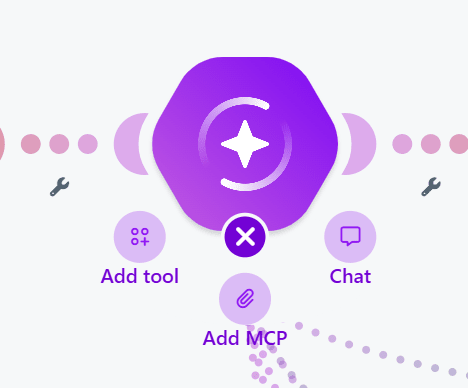
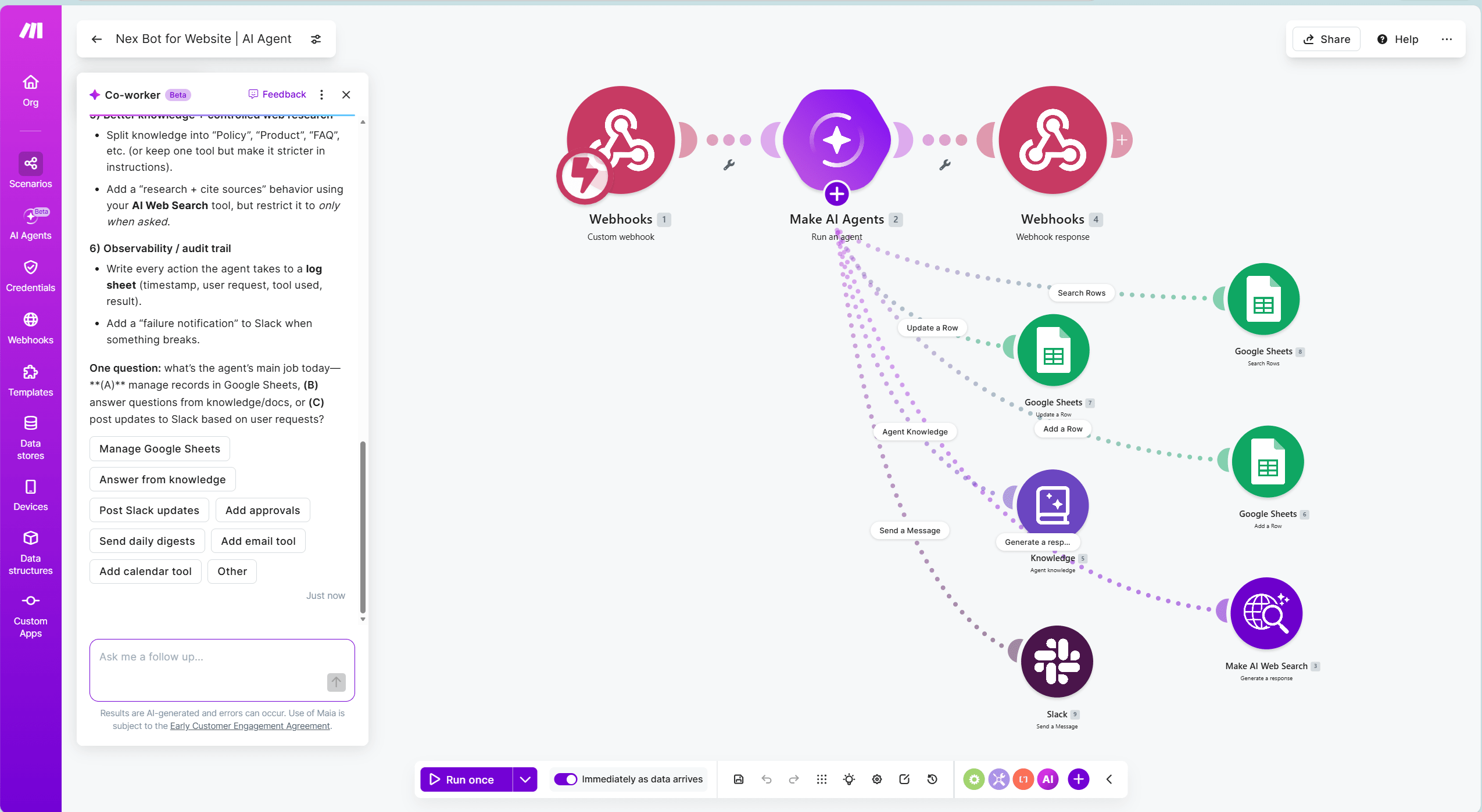
Tools are what give an agent reach. A tool can be another Make scenario (the same scenario-as-tool pattern used by the Make MCP server with Claude), a connected app action, or an external MCP connection. The agent without tools is just a chatbot; the tools are what let it actually do work.
What is Make's AI builder and the AI coworker?
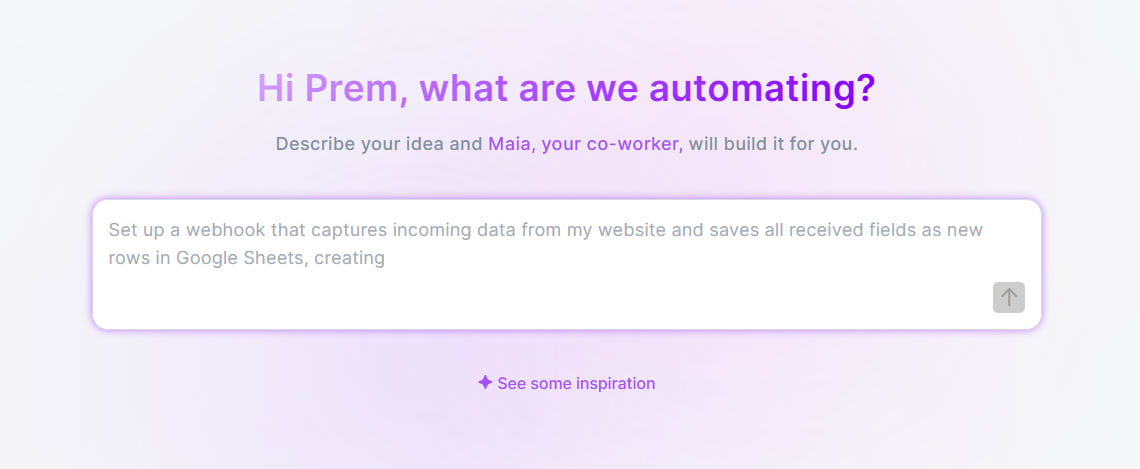
Alongside agents, Make now opens with an AI builder right on the home screen: you describe the automation you want in plain language and it drafts the scenario for you.
The deeper version of this is Make's conversational AI coworker, currently in beta (you may see it referenced as Maia, and the naming may settle as the beta matures). It behaves less like a prompt box and more like a colleague sitting in the editor: it asks clarifying questions, takes your inputs, configures modules, edits the workflow as you talk and explains what it changed.
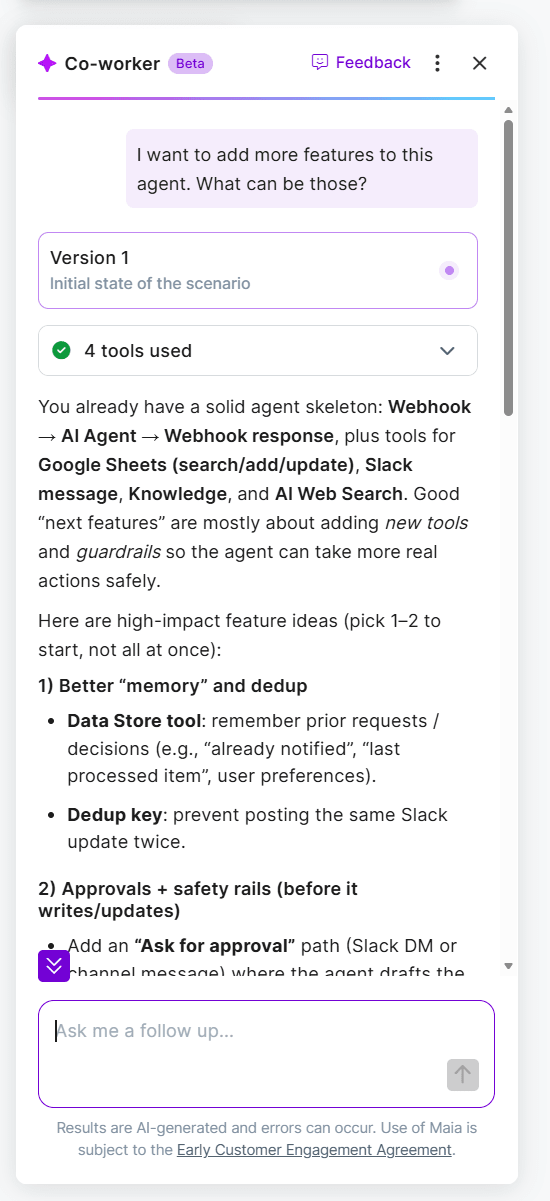
The honest read on these builders: they are genuinely good at drafting the shape of a workflow and configuring standard modules, which collapses the blank-canvas problem for beginners. What they do not replace is the judgement about what should be built: the error handling, the edge cases, the credit efficiency and the decision of whether the problem needs an agent at all. They make building faster. They do not make design thinking optional.
When should you use an AI agent instead of a normal automation?
This is the decision that determines whether your build works or burns money, and the industry numbers say it plainly: autonomous agents completing under 2.5% of real-world tasks end to end means full autonomy is not the play. The play is putting agent judgement only where judgement is needed.
Use a normal automation when you can draw the flowchart. If a competent person could follow a written checklist to do the task, a fixed scenario does it cheaper, faster and more reliably than an agent ever will. Most lead routing, invoicing, notifications and data syncing is this.
Use an AI step inside an automation when one step needs understanding but the path is still fixed: extracting fields from a messy document, classifying a free-text answer, drafting a reply. The structure stays deterministic, the AI handles the one fuzzy step. This covers most of what people think they need an agent for.
Use an AI agent when the path itself depends on the input: a request that could mean any of five workflows, a task where the next step is genuinely unknowable in advance, a process that needs to gather information before deciding. The agent decides; your tools execute.
The expensive failure modes are using an agent for flowchart work (you pay agent latency, token cost and unpredictability for a problem a $9 plan solves) and using a fixed automation for judgement work (you end up with fifteen filters trying to anticipate every variation, and it still breaks).
How to build your first Make AI agent, step by step
1. Start with one narrow job. Not "handle my operations," but "triage incoming support requests into three categories and trigger the matching follow-up." Narrow scope is what makes an agent reliable.
2. Add the AI Agent module to a scenario and write its instructions like a brief to a new hire: what the goal is, what the categories or decisions are, what it must never do, and when to stop or ask instead of acting. Vague instructions are the number one cause of erratic agents.
3. Attach tools deliberately. Each tool should be one clear action with a descriptive name, the agent picks tools by reading their names and descriptions, exactly like Claude does over MCP. Three well-named tools beat ten ambiguous ones. Keep consequential actions (sending to clients, payments, deletions) out of the toolset or behind a confirmation step.
4. Test in the chat. The chat-with-agent option on the module is your test bench: throw real, messy inputs at it and watch which tools it picks and why. Fix the instructions, not just the failures.
5. Watch the credits. Agent reasoning consumes more credits than standard modules under Make's credit model, and an agent that loops or over-calls tools burns budget quietly. Scope the toolset, cap the autonomy and check execution history early. The same cost logic from the Make.com pricing guide applies double to agents.
6. Wrap it in structure. The production pattern that actually works is a normal scenario as the spine, with the agent as one judgement node inside it, validation before its output is used and an error route when it fails. Agents inside automation, not instead of it.
Try it yourself
Everything above can be built on Make's free plan, which includes enough credits to build and test your first agent before paying anything. If you want to try it, you can start with Make free here, an affiliate link that may earn us a commission at no cost to you if you upgrade. We recommend Make because it is the platform we build on daily, not because of the link.
For the official reference, Make's AI Agents documentation covers the current module options and limits.
How we build AI agents at Nex Automations
When a client asks us for an AI agent, the first thing we do is check whether they need one. More than half the time the honest answer is a fixed automation with one AI step, which costs less and fails less. When an agent is the right call, we build it narrow: one job, a small set of well-described tools, instructions written like an operations brief, confirmation gates on anything consequential and validation on every output before it routes work. Then we wrap it in a structured scenario with error handling, so the agent supplies judgement and the automation supplies reliability.
That hybrid, agents inside structure, is what actually ships and keeps working. It is the same architecture whether the agent lives inside Make or drives Make from a Claude chat over MCP.
If you want an agent system built properly, or an honest assessment of whether you need one, you can book a call and we will start from the workflow that is costing you the most.
FAQ
Q: What is an AI agent in Make.com?
A: It is a module that holds a goal, a set of tools and the autonomy to decide which tool to use next, unlike a normal scenario that follows a fixed path. You attach tools (scenarios, apps or MCP connections), write instructions and the agent works out the steps. In the editor it appears as a hexagonal module, distinct from the circular app modules.
Q: What is Maia in Make.com?
A: Maia is Make's conversational AI coworker, currently in beta, that builds and edits scenarios through chat. It asks clarifying questions, takes inputs, configures modules and explains its changes, working like a colleague inside the editor. The naming may evolve as the beta matures, and a simpler AI builder is also available from the Make home screen.
Q: Should I use an AI agent or a normal automation?
A: If you can draw the task as a flowchart, use a normal automation, it is cheaper and more reliable. If one step needs understanding but the path is fixed, use an AI step inside the automation. Reserve a full agent for work where the path itself depends on the input. Industry data shows autonomous agents complete under 2.5% of real-world tasks end to end, so the winning pattern is agents inside structured automation, not agents alone.
Q: Do Make AI agents cost more to run?
A: Yes. Agent reasoning consumes more credits than standard modules under Make's credit model, and a loosely scoped agent that loops or over-calls tools burns credits quietly. Narrow instructions, a small toolset and early checks of execution history keep the cost predictable.
Q: Can I build a Make AI agent for free?
A: Yes. Make's free plan includes enough monthly credits to build and test a first agent. The free tier suits learning and light use, and you only need a paid plan when volume grows or you want faster scheduling and more credits.
Q: How do I make my Make AI agent reliable?
A: Give it one narrow job, instructions written like a brief to a new hire, a small set of clearly named tools, confirmation steps before consequential actions and validation on outputs before they route work. Then embed it inside a structured scenario with error handling. Reliability comes from the structure around the agent, not the agent alone.
Related guides
- Is Make.com Free? Free Plan vs the 1 Month Trial
- AI Agents vs Automation: Which One Do You Actually Need?
- 12 AI Agent Use Cases That Pay for Themselves
- How Much Does Make.com Automation Cost?
Want an agent built and scoped properly the first time? Book a free consult: 30 minutes to decide whether your task needs an agent, an AI step or a plain automation, before anyone builds anything. Or see the ways to reach us.
To try it yourself, Make's free plan covers a first agent, or take 1 month free with 10,000 credits on my partner link.
Want this built this week?
Tell us the apps and the process. Single automations ship in 3 to 7 days with error handling, alerting and a handover walkthrough.
Nex Automations is an automation studio led by Prem Patel, a Make.com Level 5 Expert, Make Silver Solution Partner and Zapier Solution Partner, based in Ahmedabad and working globally. 1,200+ automations built for 210+ clients across 8+ industries in 12+ countries.
- Have it builtThe fit-check takes two minutes. Prem reads every one and replies within 24 hours.
- Automation systems we buildSixteen system types across lead automation, order operations, AI agents, reporting and payments.
- Book a free consult30 minutes to scope the process you want automated.
More from Nex Automations
- ServicesWhat we build and who it is for.
- Case studiesProduction systems with real numbers.
- Automation libraryGuides, insights and mini builds.
- About Prem PatelCredentials, background and how we work.
- ContactBook a call or reach us on any channel.